
NeoFiler Lite2.4.3 - Get APK
You'll be able to download in few seconds.
Publisher Description
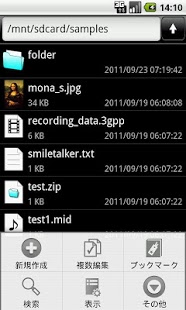
This application is multi-function file manager & multi-function memos application.
Various editing files and folders (copy, move, rename, delete), as extracting file creation / Compression, Encryption / decryption of the file (AES 256bit) can be.
Multi-functional text editor, browser(Local files can be viewed), etc. are built!
Be useful in various situations in addition to file management!
== Functions ==
* View a list of files/folders. (List / Grid view, Incremental search)
* The editing of the file and the folder. (Copy, Move, Rename, Delete etc.)
* Sort out items. (name order, last update order, size order)
* The compression of the file and the folder. (Zip file format)
* The extracting of the compressed file.(ZIP, JAR, GZ, TGZ, TAR, BZ2, TBZ2)
* The email attachment of the file.
* The search of the file / folder.
* Bookmark function (moved folder and file browsing more efficient)
* Decrypt / encrypt the file. (AES 256bit)
* The MIME-Type management. (Include MIME-Type database)
* The viewing of various files. (Can use outside applications)
* The editing of the text file. (built-in Multi-function text editor)
* The viewing of HTML file. (It is equipped with Web browser)
* Shortcut function. (Create & Launch)
* It is called by outside application and opens a file.
Note: Pay version(NeoFiler) does not the advertisement.
Note: The "stingy" comment is unnecessary.(This app is "Free"!)
== More infomation ==
http://skyarts.com/products/android/neofiler/
== Use example ==
Can use it as as a compound memo or the out-line processor which used a folder hierarchy by using text editor function!
Compress a file after editing and attach it to an email and can transmit a message because compress an files and an folders and can make a Zip file.
Each file extension connects it with an MIME type and can manage it. Therefore you can use it as a launcher of the outside application in conjunction with the MIME type.
ex.: Open an HTML files by the browser. Open an pictures file by the image viewer. Open an sound files by the music player application. etc.
Can open a folder immediately if you use the shortcut of the folder!
Can open a file immediately if you use the shortcut of the file and can perform editing!
The icon of the shortcut can use the favorite image!
== Basic operation ==
The basic operation has it in "pushing it down a Menu key" "the tap of the item", "the push and hold of the item".
Menus are displayed by operating each.
Please refer to a help or a product page for the detailed operation method.
== Attention for this free edition ==
We distribute "NeoFiler Lite" of the free copy for the following purposes.
* To have you know the function of the pay version.
* For the person who cannot purchase a pay version.
Functional limitations have not been fundamentally from the above reason. However, because of the lighter, the following features have been removed.
- Task manager function
- Handwritten memo, Paint function
- The voice memo
- Saving the attached file of the email.
If you want to use the above functions, please use the "NeoFiler"(paid version) or the "NeoFiler Free"(free version).
Please think about the purchase of the pay version when you can buy a pay version.
When an advertisement with the interest was displayed, the one that you cannot purchase taps an advertisement, and please display it.
The advertisement communicates frequently, and it continues being displayed by a screen.
Please think about the purchase of the pay version when you think that an advertisement is obstructive.
In addition, the constructive comment to make application better welcomes you, but please refrain from the emotional, vulgar comment. ;-p)
About NeoFiler Lite
The company that develops NeoFiler Lite is SkyArts.com. The latest version released by its developer is 2.4.3.
To install NeoFiler Lite on your Android device, just click the green Continue To App button above to start the installation process. The app is listed on our website since 2013-12-30 and was downloaded 0 times. We have already checked if the download link is safe, however for your own protection we recommend that you scan the downloaded app with your antivirus. Your antivirus may detect the NeoFiler Lite as malware as malware if the download link to com.skyarts.android.neofilerlite is broken.
How to install NeoFiler Lite on your Android device:
- Click on the Continue To App button on our website. This will redirect you to Google Play.
- Once the NeoFiler Lite is shown in the Google Play listing of your Android device, you can start its download and installation. Tap on the Install button located below the search bar and to the right of the app icon.
- A pop-up window with the permissions required by NeoFiler Lite will be shown. Click on Accept to continue the process.
- NeoFiler Lite will be downloaded onto your device, displaying a progress. Once the download completes, the installation will start and you'll get a notification after the installation is finished.
Program Details
System requirements
Download information
Pricing
Version History
version 2.4.3
posted on 2013-12-30
Updated the decompress process.
version 2.4.2
posted on 2012-12-20
Several fixes and updates
Disclaimer
External Download
We do not host NeoFiler Lite on our servers. We did not scan it for viruses, adware, spyware or other type of malware. This app is hosted by Galad and passed their terms and conditions to be listed there. We recommend caution when installing it.
The APK Download link for NeoFiler Lite is provided to you by apps112.com without any warranties, representations or guarantees of any kind, so access it at your own risk.
If you have questions regarding this particular app contact the publisher directly. For questions about the functionalities of apps112.com contact us.
